Colorful Retro Text Effect Guide
Visual nostalgia is a powerful tool in modern design. It evokes warmth, familiarity, and a sense of playful authenticity that clean, minimalist aesthetics often lack. A Colorful Retro Text Effect captures this spirit by combining bold typography with vibrant, era-specific color palettes and dimensional styling. Whether you are designing a poster for a local music festival, creating social media graphics for a vintage clothing brand, or simply adding flair to a personal project, understanding how to implement these styles effectively can elevate your work instantly.
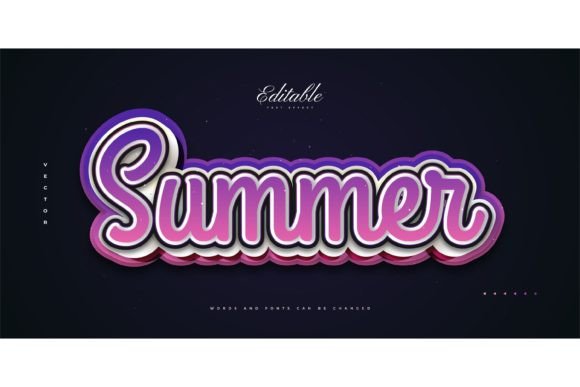
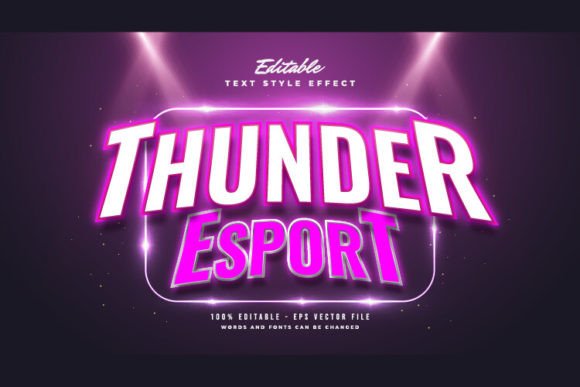
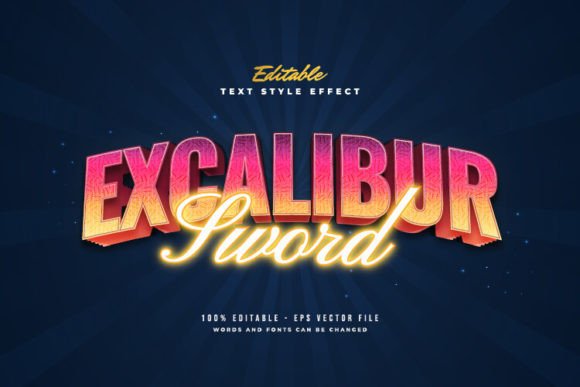
For many designers, especially those who are not experts in Adobe Illustrator, creating these complex layered effects from scratch can be time-consuming and technically challenging. This is where pre-made style packs become invaluable. A resource like the Adobe Illustrator Text Style Effect – 100 Editable Words, Fonts, Size, and Effect offers a streamlined solution. It allows you to achieve professional-grade retro looks without spending hours adjusting gradients, shadows, and outlines manually.
Understanding the Appeal of Retro Typography
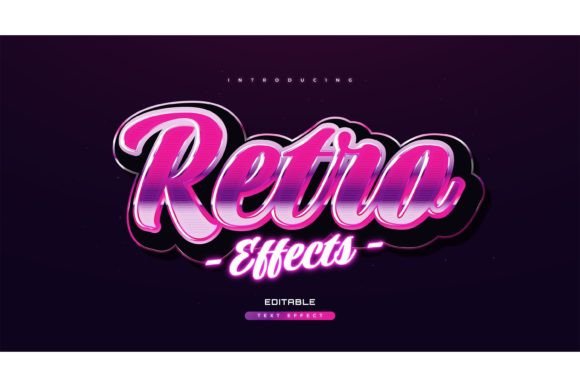
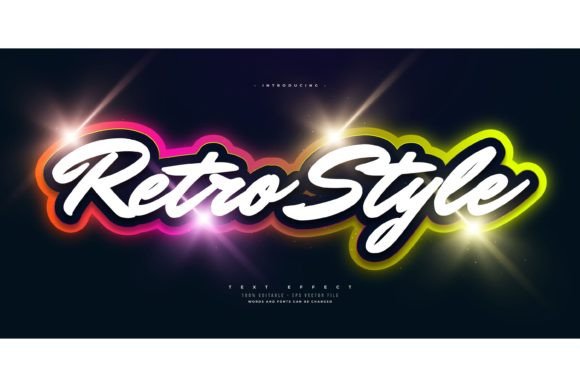
Retro design is not just about copying old styles; it is about curating the best elements of past decades to create something fresh yet familiar. The Colorful Retro Text Effect typically draws inspiration from the 1970s, 80s, and 90s. You might see warm oranges, mustard yellows, and teal blues from the 70s, or neon pinks, electric blues, and sharp geometric shapes from the 80s.
The primary characteristic of these effects is depth. Flat text rarely feels "retro" on its own. Instead, retro typography often features:
- Layered Shadows: Multiple offset layers that create a 3D extrusion effect.
- Bold Outlines: Thick strokes that make the text pop against busy backgrounds.
- Texture and Grain: Subtle noise or distressed edges that mimic printed materials from earlier eras.
- Vibrant Contrasts: High-saturation colors that grab attention immediately.
Using a pre-designed effect pack means these intricate details are already balanced. You do not need to guess which shade of orange complements a teal shadow. The heavy lifting regarding color theory and spatial layering has been done for you.
Why Choose an Editable Style Pack?
One common misconception among beginners is that buying a text effect means you are locked into specific words or fonts. However, high-quality resources, such as the Adobe Illustrator Text Style Effect mentioned earlier, are designed for flexibility. It is crucial to note that this is a Text Font Effect Design, Not a Font. This distinction is vital. You are purchasing the stylistic treatment—the shadows, colors, and layers—not the typeface itself.
This approach offers several significant advantages:
- Font Freedom: You can change or use any font you like. If your brand uses a specific serif font, you can apply the retro effect to it. If you prefer a chunky sans-serif for a headline, that works too. The effect adapts to the shape of the letters you type.
- Time Efficiency: Creating a multi-layered 3D text effect manually in Illustrator involves duplicating layers, aligning them precisely, and adjusting colors for each step. With an editable style, you simply click and change the texts. The effect updates automatically.
- Consistency: If you are creating a series of posts or a multi-page brochure, using a preset style ensures that every headline looks cohesive. You maintain a uniform visual identity without having to recreate the effect from memory each time.
Practical Applications for Creators and Businesses
The versatility of a Colorful Retro Text Effect makes it suitable for a wide range of projects. Here are some realistic scenarios where these editable assets can solve design problems:
Small Business Marketing
Local cafes, boutiques, and bakeries often use retro aesthetics to convey a sense of heritage or artisanal quality. A bakery launching a new line of 80s-inspired donuts could use these text effects for their Instagram stories. By simply typing "New Flavor Alert" into the editable EPS file, they get a polished, eye-catching graphic in minutes. The included JPG preview allows them to visualize the result before finalizing the design.
Event Promotion
Freelance event planners and DJs frequently need posters for parties, concerts, or community gatherings. Retro themes are perennially popular for music events. Instead of hiring a graphic designer for every single flyer, an entrepreneur can purchase a pack of 100 editable words. They can mix and match different styles to keep their promotional material fresh while maintaining a consistent retro vibe.
Educational and Digital Content
Educators and bloggers can use these effects to make headers more engaging. A history teacher creating a presentation on the 1970s might use these text styles for chapter titles. Similarly, lifestyle bloggers can use them for featured images on Pinterest, where vibrant, textured text tends to perform well in click-through rates.
Key Considerations Before You Start
While these tools are designed to be easy to edit, there are a few things to keep in mind to ensure the best results. First, always check the software compatibility. Since the files included are typically EPS (Encapsulated PostScript), you will need vector-based software like Adobe Illustrator to edit them fully. While you can view the JPG previews in any image viewer, editing the text requires a program that supports vector paths.
Second, consider readability. Retro effects often involve thick outlines and heavy shadows. If you choose a very decorative or thin font, the effect might overwhelm the letterforms, making them hard to read. It is often best to test the effect with bold, simple fonts first. Since you can change the font, experiment with a few options to see which one balances the colorful layers best.
Finally, remember that context matters. A Colorful Retro Text Effect is bold and loud. It works beautifully for headlines, logos, and short phrases. However, it is generally not suitable for body text or long paragraphs. Use these effects for impact points—titles, calls to action, or key quotes—where you want to draw the viewer’s eye immediately.
Making the Most of Your Design Assets
To get the most value from a pack like the Adobe Illustrator Text Style Effect – 100 Editable Words, treat it as a starting point, not a limitation. Feel free to tweak the colors if they do not perfectly match your brand guidelines. Most vector files allow you to select individual layers and adjust the hue or saturation. If the default rainbow palette is too intense for your project, you might mute the tones to create a softer, more pastel retro look.
Additionally, explore the variety within the pack. With 100 different editable options, you likely have styles ranging from subtle vintage shadows to aggressive, neon-soaked 3D extrusions. Categorize them by mood or decade so you can quickly find the right style for your current project. This organization saves time and helps you maintain a clear creative workflow.
In conclusion, integrating a Colorful Retro Text Effect into your design toolkit is a smart move for anyone looking to add personality and professionalism to their visual content. By leveraging pre-made, editable assets, you bypass the technical hurdles of vector illustration and focus on what matters most: communicating your message with style and clarity. Whether you are a seasoned marketer or a hobbyist just starting out, these tools empower you to create stunning, nostalgic designs with ease.