Mastering Dynamic Typography: The Power of Editable E-sport Text Style Effects in Adobe Illustrator
In the high-velocity world of digital design, particularly within the gaming and e-sports sectors, visual identity is everything. A logo or headline isn't just text; it is a statement of energy, aggression, speed, and modernity. For designers, creating these complex, layered typographic effects from scratch can be a time-consuming ordeal involving multiple clipping masks, gradient meshes, and intricate stroke adjustments. This is where the concept of an Editable E-sport Text Style Effect becomes a game-changer. It bridges the gap between professional-grade aesthetics and workflow efficiency, allowing creators to produce stunning visuals without reinventing the wheel for every project.
Understanding the Mechanics of Pre-Built Text Effects
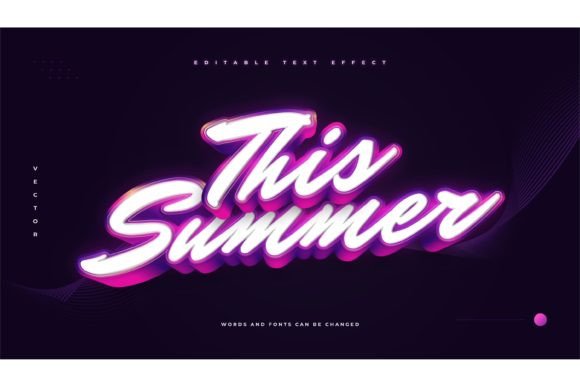
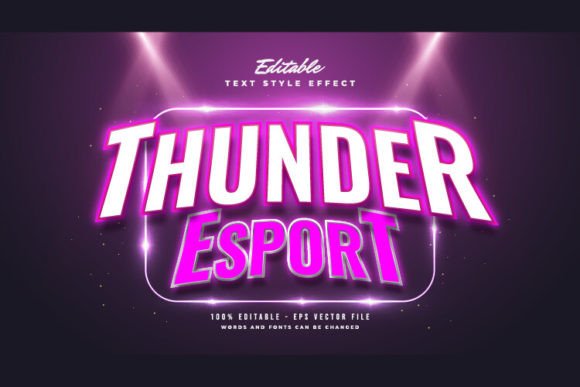
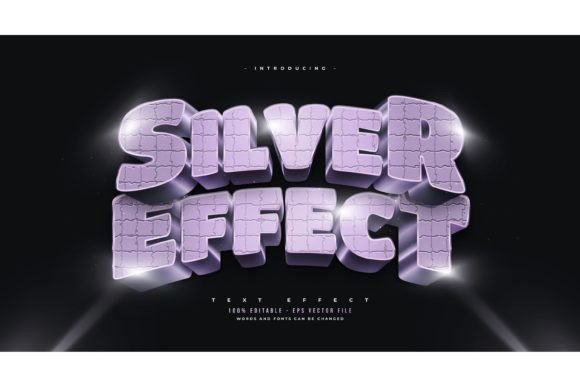
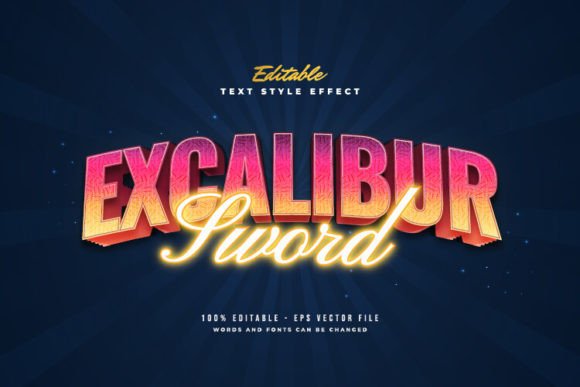
It is crucial to clarify a common misconception before diving into the benefits: this resource is a Text Font Effect Design, not a font file itself. Many beginners confuse style packs with typefaces. A font determines the shape of the letters—whether they are serif, sans-serif, or display. In contrast, an effect dictates how those letters appear visually—their texture, dimensionality, color gradients, shadows, and outlines. By utilizing an Adobe Illustrator Text Style Effect package, you retain complete freedom over typography. You can swap in a bold, blocky font for a heavy metal vibe or a sleek, geometric typeface for a futuristic sci-fi look. The underlying style remains consistent, but the character changes entirely based on your choice.
The core value proposition here is editability. Traditional rasterized images or flattened vectors lock you into a specific design. If a client wants to change the team name from "Vipers" to "Venom," you would typically have to rebuild the entire graphic. With an editable EPS-based effect, the process is reduced to a simple click-and-change operation. This flexibility is vital in industries where branding evolves rapidly, such as streaming overlays, tournament banners, and merchandise design.
Why E-sports Aesthetics Demand Specific Design Traits
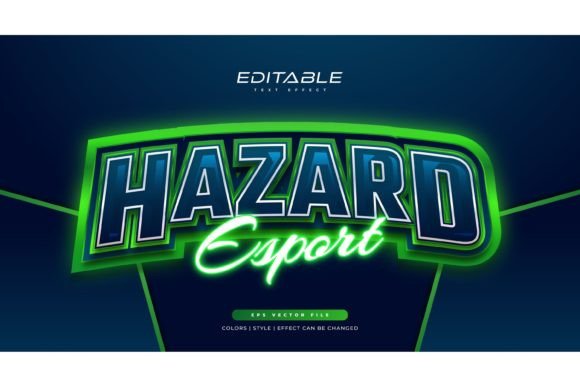
E-sports branding is distinct from corporate or minimalist design. It thrives on intensity. The visual language often includes sharp angles, neon contrasts, metallic sheens, and dynamic motion lines. An effective Editable E-sport Text Style Effect captures these nuances pre-packaged. When you apply these styles, you are instantly tapping into a visual lexicon that gamers recognize and respond to. The designs usually incorporate:
- Layered Depth: Creating a 3D illusion through stacked strokes and shadows.
- Vibrant Gradients: Using high-saturation color transitions to evoke energy.
- Geometric Precision: Clean lines that suggest technology and precision.
- Distressed Elements: Optional grunge or glitch effects for a rugged, competitive feel.
These characteristics are difficult to balance manually. Too much clutter makes text unreadable; too little makes it boring. Pre-designed effects strike this balance, ensuring that the text remains legible while still popping off the screen.
Streamlining the Designer’s Workflow
Time is the most valuable currency for freelance designers and agency teams. Consider the typical lifecycle of a branding project. A designer might spend hours perfecting a single letterform’s bevel and emboss settings. Multiply that by ten letters, and you have lost a significant portion of your billable hours. By integrating a library of 100 Editable Words, Fonts, Size, and Effect presets, you drastically reduce production time.
This efficiency does not come at the cost of quality. Because the files are provided in EPS format, they are fully vector-based. This means they can be scaled to any size—from a tiny social media avatar to a massive stadium banner—without losing resolution or clarity. The inclusion of a JPG Preview allows for quick browsing and selection, helping you decide which style fits the mood of the project before you even open the vector file. This rapid prototyping capability enables designers to present multiple concepts to clients in a fraction of the usual time.
Versatility Across Industries and Projects
While the primary focus is e-sports, the utility of these text effects extends far beyond gaming clans. The aggressive, high-energy aesthetic is increasingly popular in various modern sectors:
- Fitness and Athletics: Gym brands and supplement companies often use bold, impactful typography to convey strength and motivation. The sharp edges and heavy weights of e-sport styles translate perfectly to this niche.
- Tech Startups: Companies focusing on cybersecurity, AI, or hardware often adopt a "cyberpunk" or futuristic look. These text effects provide that high-tech veneer effortlessly.
- Music and Entertainment: Album covers, event posters, and YouTube thumbnails benefit from eye-catching text that stands out in crowded feeds. The customizable nature allows artists to match the text style to their genre, whether it’s dubstep, rock, or pop.
- Streetwear Fashion: Modern apparel design relies heavily on graphic typography. Designers can use these effects to create unique prints for t-shirts, hoodies, and caps, ensuring that each piece looks professionally manufactured.
The ability to change or use any font you like is the key to this versatility. If you are designing for a luxury streetwear brand, you might pair the effect with a refined serif font to create an interesting juxtaposition. For a tech conference, a clean monospaced font might be more appropriate. The effect serves as a container for your creative vision, not a restriction.
Technical Considerations and Best Practices
To get the most out of an Adobe Illustrator Text Style Effect package, understanding the technical requirements is essential. Since the files are EPS-based, you need vector editing software. Adobe Illustrator is the industry standard, but other programs that support EPS import and editing may also work, though compatibility with specific appearance attributes can vary.
When editing, always check the layers panel. Complex effects are often built using multiple layers for shadows, highlights, and base colors. Keeping these organized ensures that when you change the text, the effect applies uniformly. If you notice a glitch in the styling after changing the text, it is often due to special characters or extreme kerning. Adjusting the tracking and scaling the object slightly usually resolves these minor visual hiccups.
Another practical benefit is the modularity of the design. Because you receive 100 Editable Words, you have a vast array of starting points. You aren't limited to a single style. You might find one effect that has the perfect color palette but another that has the ideal shape structure. With vector tools, you can mix and match elements, creating a hybrid style that is unique to your brand. This level of customization ensures that your final output doesn't look like a generic template but rather a bespoke design asset.
Making the Right Choice for Your Project
Before adopting a new design resource, consider the scope of your needs. Are you looking for a one-off solution, or do you need a sustainable library for ongoing work? A comprehensive pack offering hundreds of variations provides better long-term value. Look for packages that emphasize ease of use—specifically those that allow you to edit text with a simple click. Complicated setups that require manual re-linking of styles defeat the purpose of using a template.
Furthermore, evaluate the quality of the preview materials. A clear JPG Preview helps you visualize the end result quickly. Ensure that the provider specifies that the product is a Text Font Effect Design and not a font, to avoid confusion during installation. Remember, you are buying the styling logic, not the typeface. This distinction empowers you to maintain brand consistency by using your licensed fonts within these dynamic structures.
In conclusion, leveraging an Editable E-sport Text Style Effect is a strategic move for modern designers. It combines the artistic flair required for high-impact visual communication with the practical efficiency needed in today’s fast-paced digital economy. By mastering these tools, you elevate your design capabilities, offering clients professional, scalable, and striking typography that stands out in any medium. Whether you are crafting a logo for a new gaming team or a promotional banner for a tech event, these editable assets provide the foundation for creative excellence.